Working on a web-based sampler named slice.
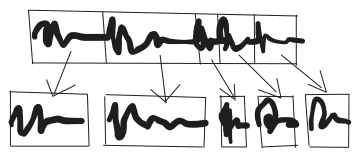
So far slice can
- load audio
- slice audio
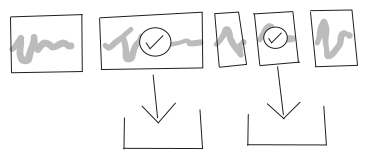
With this commit it can also
- selectively download audio
code
Given a buffer and a region (defined as two numbers range 0-1 start and end)
const download = async (buffer, region) => {
  // ...
};
1. Write the region (with effects applied) to a new buffer
Use an OfflineAudioContext to render Web Audio output in faster than realtime.
const offlineAudioContext =
  new OfflineAudioContext(
    buffer.numberOfChannels,
    buffer.duration * buffer.sampleRate * (region.end - region.start),
    buffer.sampleRate,
  );
attackRelease(offlineAudioContext, buffer, region);
const offlineResult = await offlineAudioContext.startRendering();
The attackRelease function (defined elsewhere) is responsible for scheduling playback of the region with a gain envelope of 0.001s attack 0.001s release. This is done to soften the edges of samples that may cross the source waveform at non-zero values, leading to undesirable pops and clicks.
The plan is to use even more effects in the future - variable filter, speed and volume. With OfflineAudioContext the same effects we use for in-app playback will be applied to the files we download.
2. Convert the buffer to wav-encoded bytes
Use package audio-buffer-to-wav
const wav = audiobufferToWav(offlineResult);
3. Create and trigger a download link
const link = document.createElement("a");
link.href = URL.createObjectURL(
  new Blob([wav], { type: "audio/wav" }),
);
link.setAttribute("download", "untitled.wav");
link.click();
URL.revokeObjectURL(link.href);